
Media Wireless Button Remote Controller Car Motorcycle Bike Steering
Your money is held until you receive your order, plus 7 days to report a problem. Refund if it never arrives or is not as described. Payments go through secure, licensed providers (Paystack, OPay).
22 - 29 days
Ships by standard shipping. Delivery times are estimates and may vary based on customs clearance.
7-day return window
Item must be unused and in original packaging.
Refund via: Original payment method
Warranty: no manufacturer warranty unless the description says so. Faulty, damaged or not-as-described items are covered by our 7-day buyer protection.
Product Description 1. Installation Instructions Attach the EVA anti-slip pad that comes with it to the inside of the BT remote control bracket. Install the bracket to the handlebar with screws. Insert the BT remote control from top to bottom into the bracket and listen for a soft "click" sound to i...
Product Description
1. Installation Instructions
Attach the EVA anti-slip pad that comes with it to the inside of the BT remote control bracket.
Install the bracket to the handlebar with screws.
Insert the BT remote control from top to bottom into the bracket and listen for a soft "click" sound to indicate that it is installed correctly.
2. Operating Guide
Before use, charge the device using a USB-Type-C charging cable.
Press any key to wake up the BT remote control.
3. Indicator Light Instructions
Charging breathing light - located at the lower left corner of the device. When charging, the breathing light will show a red light that changes like breathing.
BT status light - located at the lower left corner of the remote control, indicating the connection status of BT. When BT is not connected. the blue light will flash continuously. When connected to BT, the indicator light will remain on continuously. If BT is disconnected for 5 minutes, it will automatically turn off.
Key ambient light - blue, distributed around three keys. Press any key to wake up the key ambient light.
4. Key Function Instructions
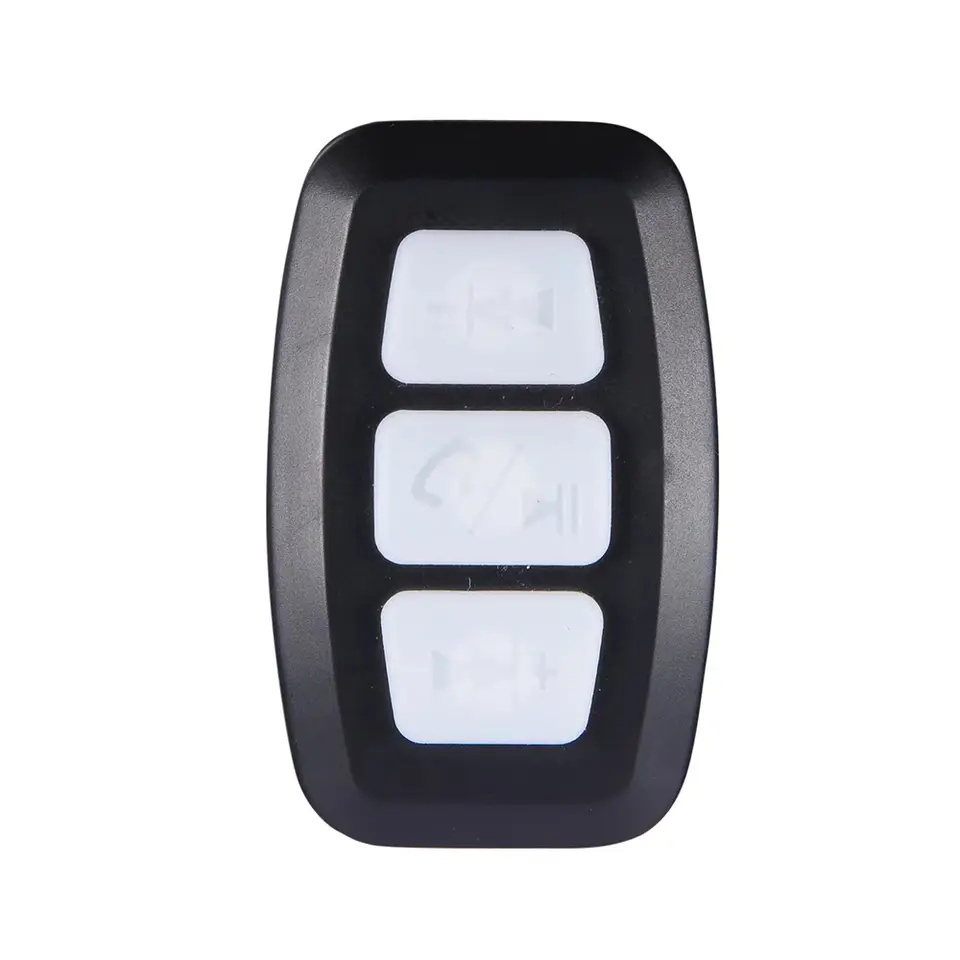
-/<< Key: Long press to decrease volume; short press to play previous song.
Phone/Play: Answer/hang up phone calls; play/pause music.
+/>> Key: Long press to increase volume; short press to play next song.
Camera Key: When your phone is in camera mode, long press volume up or volume down button to take a photo.
5. Interface Definition
Tax excluded, add at checkout if applicable
Color:
Quantity
Service commitment
Shipping: ₦2,152.8
22 - 29 days
Return & Refund
7-day return window
Secure Payment
Buyer protection guaranteed
Product Description
1. Installation Instructions
Attach the EVA anti-slip pad that comes with it to the inside of the BT remote control bracket.
Install the bracket to the handlebar with screws.
Insert the BT remote control from top to bottom into the bracket and listen for a soft "click" sound to indicate that it is installed correctly.
2. Operating Guide
Before use, charge the device using a USB-Type-C charging cable.
Press any key to wake up the BT remote control.
3. Indicator Light Instructions
Charging breathing light - located at the lower left corner of the device. When charging, the breathing light will show a red light that changes like breathing.
BT status light - located at the lower left corner of the remote control, indicating the connection status of BT. When BT is not connected. the blue light will flash continuously. When connected to BT, the indicator light will remain on continuously. If BT is disconnected for 5 minutes, it will automatically turn off.
Key ambient light - blue, distributed around three keys. Press any key to wake up the key ambient light.
4. Key Function Instructions
-/<< Key: Long press to decrease volume; short press to play previous song.
Phone/Play: Answer/hang up phone calls; play/pause music.
+/>> Key: Long press to increase volume; short press to play next song.
Camera Key: When your phone is in camera mode, long press volume up or volume down button to take a photo.
5. Interface Definition
No questions yet. Ask about size, compatibility, delivery or anything else.
Sign in to ask a question.
| Category | Remote Controls |
|---|---|
| Color options | White Button, Black Button |